Mio C310s Again, and the Mio C310sx

After a few days of dithering, I decided that I could live with the C310s GPS I blogged about a few days ago.  Even though the device itself doesn’t support geocaching, I believe you can manage points of interest using the PC software that you use to transfer things to it, and I figured I’d find a way of entering my own points of interest.  So I picked up the same box at Staples.

Well, what I got is a completely different GPS!

I mentioned that there’s a C310x that uses basically same hardware platform but  with different software; what was in my C310s box was a C310sx, a combination of the Canadian flavour of the C310s and the updated software of the C310x.
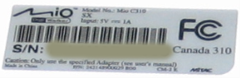
Take a look at the small image of the sticker on the bottom – it says “Model No: Mio C310″ and then underneath it, “SX”.  The Windows CE sticker on the bottom says “Windows CE .NET 4.2 Core”, whereas the previous version said “Windows CE .NET 4.1 Core”.

Okay so it’s a differnet GPS.  What’s different about the navigation software?

  • It’s faster.  The 3D view updates at approximately 5 frames per second instead of approximately 2 frames per second.
  • It has tons of extra options:
    • Automatic Night Colors (based on time of day)
    • You can turn off-route recalculation on and off
    • Pick your vehicle – Bus, Taxi, Bike, Walking, Car
    • Dynamic volume, based on your current speed
    • More routing options
    • Cooler voices (though still no TTS)
    • Smart Zoom – zooms based on your current speed
    • You can control the angle, not just the altititude, in the 3D view.
  • You can have it show points of interest on the map while you’re driving.  Nice.  Combined with angle control, this lets you see upcoming points of interest.
  • Nicer rendering of 3D maps.
  • You can have it do an animated fly-over of a route – I guess this would be useful if you wanted to use the GPS to show someone how to get somewhere.
  • You can add Via points to a route.

Basically, this is a much more desirable product than the C310s.  So how is it that I have one?

The box says C310s, and so does the CD, but the manual says C310x: 
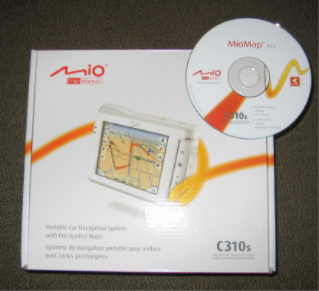
The box I got is a “Repacked” (so, possibly refurbished) box from Staples; I wonder if they simply messed up when they repacked it and put the newer model in the box?  I’d be interested in hearing if this has happened to anyone else.

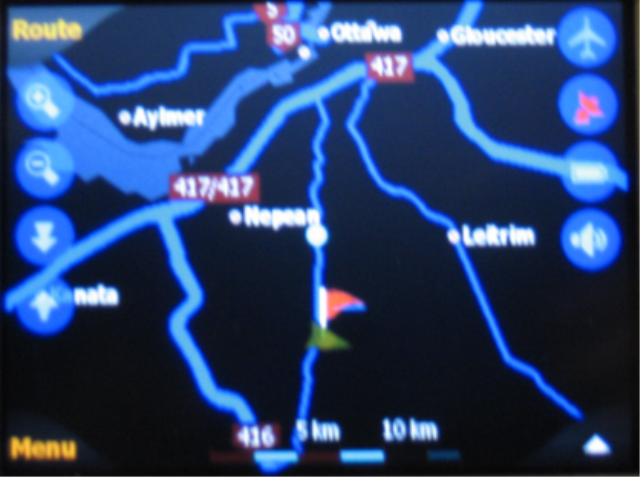
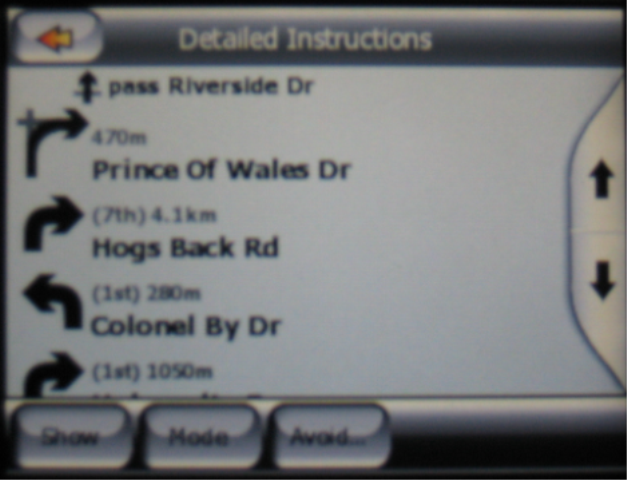
A few more (blurry) screenshots:

14 Responses to “Mio C310s Again, and the Mio C310sx”

  1. Stephen Says:

    I got the same thing an sx. Book says c310x cd says c310s but unit says c310sx and has the added features bought it at Staples in Maple Ridge BC today Jan 05/07

  2. Michelle Says:

    I bought the same C310s unit at Staples (or what I thought was supposed to be a C310s unit). I only just opened the box up and realized that I too have a C310sx unit inside. Everything contained in the box is the same as you described. Weird!?

  3. Dante Says:

    Hi, I would like to know if the Mio C310sx comes preloaded whit Canada & US maps,and do you need a CD memory card to contain all the maps ?
    Also is it possible to search by postal-code & zip-code ?
    Thanks !
    Dante.

  4. stevex Says:

    The C310sx comes preloaded with Canada maps, but not US maps.

    My C310sx only has 512mb of flash RAM, so all the US maps wouldn’t fit at the same time. Maybe that’s something they do for the Canadian version – include less RAM (so it costs less to make). You can put in an SD card and put all the maps on that if you need to.

    I don’t see any way to search by postal code.

  5. Bob Says:

    I just bought the C310sx from costco canada, (new).
    I will receive it in a few days.
    I can’t find anything on the net about the C310sx, not even on the website!!!
    Will come back as soon as i have the GPS

  6. crayno Says:

    To enter by area code or ZIP code, press ‘address’ then in top right, click ‘other city, or cahnge state/province. Then the prompt is ‘enter street or zip code. e.g. choose NY state and enter 10019

  7. Mike Says:

    Yall should checkout gpspassion.com. The site has a TON of info on the C310X including hacks to get to the CE desktop, running custom software, and more….

    http://www.gpspassion.com/forumsen/forum.asp?FORUM_ID=37

  8. tim Says:

    I just bought the same unit from staples. Looks like mine was an open box after the staples guy told me it was brand new unopened. Is an AC adapter meant to come with it to charge or is it just the USB cable only in the box to charge the unit? Any help would be grateful, thanks!

  9. Jim Eason Says:

    Bought the C310s at Staples in St. John’s N.L. Stavanger Drive on Dec 28? found the same sx on the back sticler. Maybe it’s the new standard. I like it and especially liked the price.Haven’t used it much as I’m still sorting out all the varioius stuff thats in it. I especially like the coordinate imput function as I can use another map or Google Earth to find any places or tramps I’d like to make. As regards the Geocashing I don’t think that will be a problem as you can imput the coordinates and follow them?????
    JJe

  10. Jan Says:

    I got the c310s at Christmas and loved it! I soon found out that there would be no map upgrade for this unit so I took it back the other day and got the c310sx. I don’t like it nearly as well. Sure, there are tons of options that the previous dodn’t have but I’m having trouble navigating it. For example. I put a heading of Families inot my poi and managed to get one entered but now I can’t figure out how to add to it. I’m finding it very frustrating. Also, unless I type in the address it seems to not know where I want to go. I have my work entered into Favorites but that is not seeming to register with it. Is there a user manual out for it?

  11. sam Says:

    I have the same unit like everyone else from Staple.
    My question is how do you add US map ( specifically New York, New Jersey, and Michigan ). Can we delete some Canadian Provinces to free up some space? My unit has Canadian map and US (MRE) only.
    Thanks.

  12. Dave Says:

    I have a C310x with US maps only …any way I can load the 310sx maps on mine????? I’d really like the Canadian Maps.

  13. nadine Says:

    I purchased one at staples in Calgary, it is described as c310s it is also a c310sx. Same as everyone else, I am getting annoyed about the maps though they are very outdated and they were supposed to be launched april 15, apparently not expected now for a couple more months. Also they do not know if there will be a charge for upgrades, if you purchase any other gps tom tom or others newest map upgrades are included, they are indicating there will be a charge for upgrades. I may return this simply because of this. Tom tom 1 is a similar price and offers better maps.

  14. raj Says:

    Hi,
    I have a mio c310 and unable to fixthe setting.
    It doesnt not direct me any US major highway, always its directs all local routes.
    Could you please help me set the setting.

Leave a Reply