Common Password Salting
You use the same password on more than one site. Admit it. Everyone does it. It’s a dirty little secret that nobody talks about. Maybe you make yourself feel safer by using a different password for your bank, or for online stores.
Here’s the problem.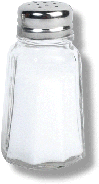
There’s a relatively new trick, some would say evil trick, that a few sites are using, that exploits the fact that so many people use the same username and password over and over. I know of at least two sites that do this. Here’s how it works.
Someone sends you an invitation, or you read about a new “social networking” site. Sounds cool, so you have a look. It’s interesting enough that you sign up, entering your common login and password.
What this site does next is tries to connect to other sites, using that exact same name and password, to send out invitations from you to try out this new site.
Some sites will tell you they’re going to do this; some won’t. If you log into a site and suddenly see that it’s figured out who your friends are, be suspicious. It’s probably connected to your Yahoo Mail account or Hotmail account or some other account that you use and swiped all your friends’ names and contact info.
Now your friends are getting messages from you saying “Hello Bob, I’ve found this great new site! Come join it!”. This is a great way to lose a few friends.
So what’s the solution?
Network security gurus would tell you the solution is obvious and you’re an idiot for not implementing it sooner. Simply use a different combination of upper and lowercase letters, numbers and punctuation at least 8 characters long on every site you visit.
Yeah, not gonna happen, is it?
So you’re going to use the same password on multiple sites. Here’s a way to at least keep these sites from automatically “sharing” your information amongst themselves. Salting.
A salt is defined as a random number that is added to the encryption key or to a password to protect them from disclosure. But in this case, it’s not a random number (since that wouldn’t be easy to remember either), but rather, it’s a combination of letters that you somehow derive from the site name, and somehow insert into your usual password.
For example.
Let’s say you’re creating a Hotmail account and you need to come up with a password. Your usual password is ‘monkey7’. But rather than just typing that in, you alter ‘monkey7’ with some characters that are unique to the site you’re visiting.
Maybe it’s the first two letters of the site name. Maybe it’s the first letter and the last letter, or the first and third letters. Whatever it is, pick a scheme and stick to it.
Let’s say you’ve chosen the first and third letters, and you’re going to put it before the 7. Your Hotmail password is now ‘monkeyht7’. Your Amazon password is ‘monkeyaa7’. Your Yahoo password is ‘monkeyyh7’. You get the picture.
Don’t use this exact scheme. Come up with your own. If everyone is using the same salting method, then it’s easy to crack, but with hundreds or thousands of salting algorithms, your password is reasonably safe.
Note that reasonably is relative. This is not super-secure - it's hardly secure at all - but it is definitely more more secure than using the same password everywhere, and it’s easy to do.
Happy Salting.